
In the previous post on vRA APIs, we took a look at authentication and getting a bearer token. Some questions have come up for a local project around how we can enumerate the vRA catalog, and then subsequently request something via the API so here we are.
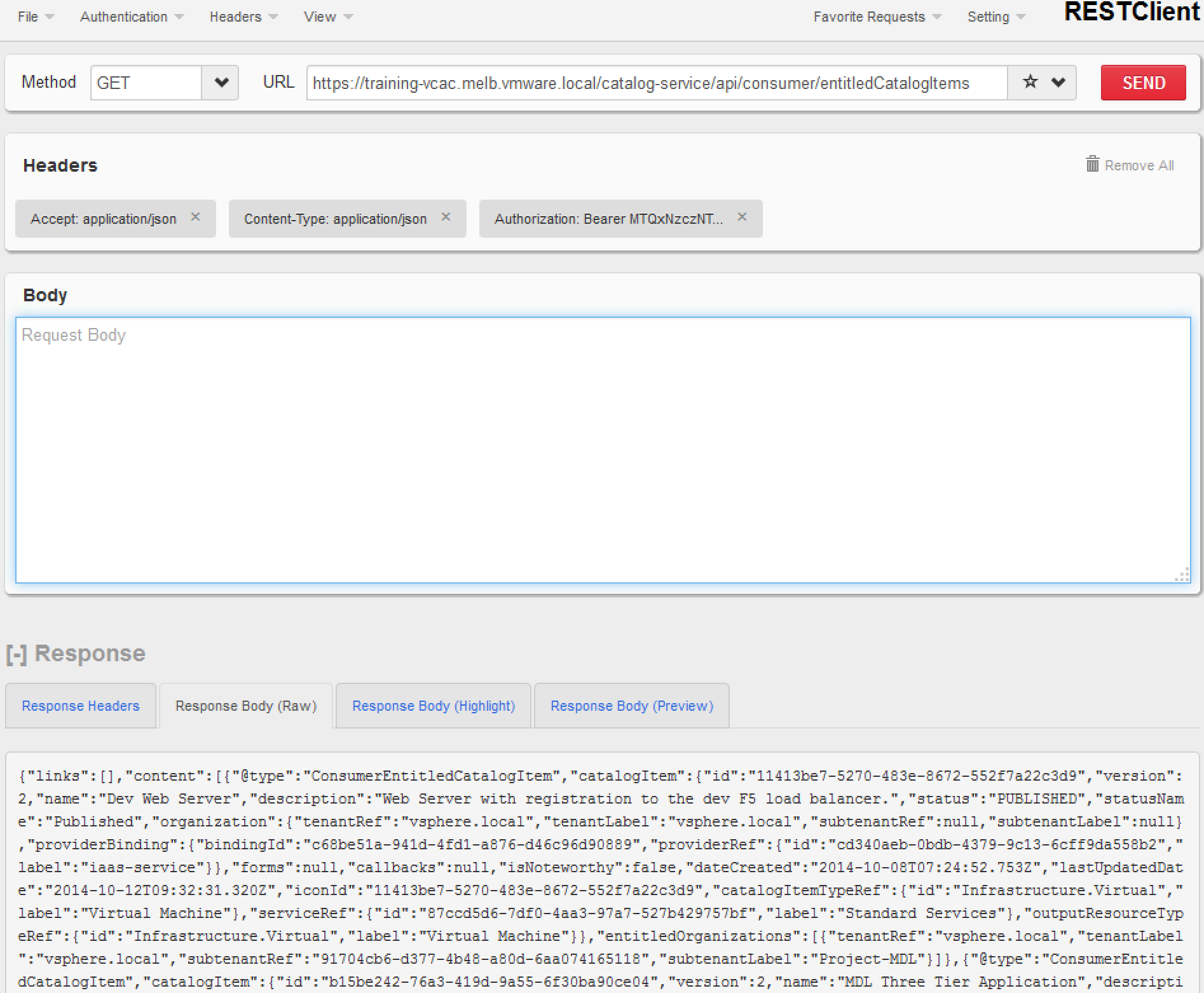
Example 1.1 – Enumerating the Catalog
Headers:
Content-Type: application/json
Accept: application/json
Authorization: Bearer
Request:
GET https://
Request Body:
Not Required
Example 2.1 Requesting a Catalog Item
Request:
POST https://
Request Body:
{
"@type" : "CatalogItemRequest",
"catalogItemRef" : {
"id" : "ccd559fc-9d9e-454f-af1c-2d9f9f42fdcc"
},
"organization" : {
"tenantRef" : "vsphere.local",
"subtenantRef" : "91704cb6-d377-4b48-a80d-6aa074165118"
},
"requestedFor" : "gorchard@melb.vmware.local",
"state" : "SUBMITTED",
"requestNumber" : 0,
"requestData" : {
"entries" : [
{
"key" : "provider-blueprintId",
"value" : {
"type" : "string",
"value" : "1b568297-3d9c-4d72-b28b-6f00c1aadf3b"
}
},
{
"key" : "provider-provisioningGroupId",
"value" : {
"type" : "string",
"value" : "91704cb6-d377-4b48-a80d-6aa074165118"
}
},
{
"key" : "requestedFor",
"value" : {
"type" : "string",
"value" : "gorchard@melb.vmware.local"
}
},
{
"key" : "provider-SNOW.RequestNumber",
"value" : {
"type" : "string",
"value" : "123"
}
},
{
"key" : "provider-VirtualMachine.CPU.Count",
"value" : {
"type" : "integer",
"value" : 1
}
},
{
"key" : "provider-VirtualMachine.Memory.Size",
"value" : {
"type" : "integer",
"value" : 2048
}
},
{
"key" : "provider-VirtualMachine.Disk0.Size",
"value" : {
"type" : "string",
"value" : "16"
}
},
{
"key" : "provider-VirtualMachine.LeaseDays",
"value" : {
"type" : "integer",
"value" : 1
}
},
{
"key" : "provider-__Notes",
"value" : {
"type" : "string",
"value" : ""
}
},
{
"key" : "description",
"value" : {
"type" : "string",
"value" : "Request via the vRA consumer API"
}
},
{
"key" : "reasons",
"value" : {
"type" : "string",
"value" : ""
}
}
]
}
}
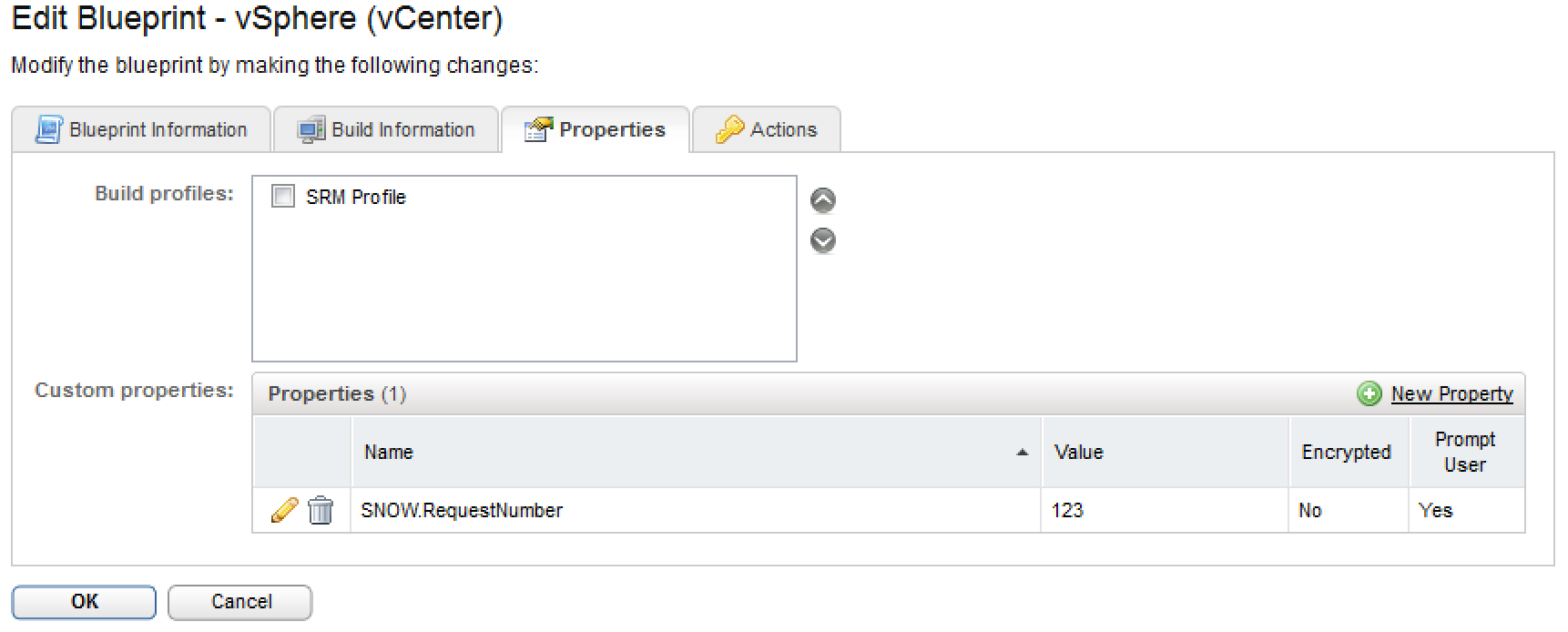
The sharp eyed amongst you will notice an item called “provider-SNOW.RequestNumber” amongst the blob there. This is a custom property on the blueprint called SNOW.RequestNumber. Adding additional (valid) custom properties for the blueprint into the request is as simple as adding “provider-” into your request as shown in the example above.
I’ll update this with my Python examples shortly.